Bodholdt Viewer
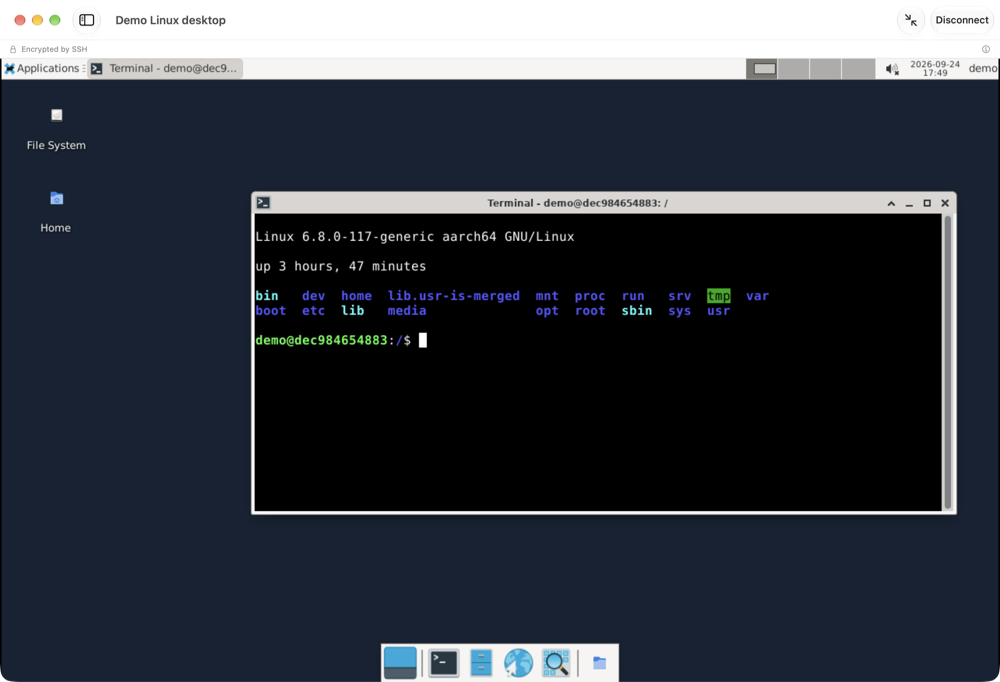
See and control your other computers from your Mac. Bodholdt Viewer connects to Windows and Linux machines running a VNC-compatible server, and it can sign in with a Windows account.
SHA-256 0fbc7e9d213587e2fac8d0b66c71c504f40d7fd0573ba3ab7854fc447fd0218e
Sign in with a Windows account
Use the Windows user name and password you already have, on servers set up for it (MS-Logon II), instead of a separate screen-sharing password.
Reach machines behind a firewall
Connect through an SSH tunnel (password sign-in; SSH keys are not supported yet) or a repeater, or let the other computer call your Mac with a reverse connection.
Quick on slow connections
Compressed screen updates (ZRLE, Tight, Zlib, Hextile, CopyRect) send only the parts of the screen that changed.
Copy and paste both ways
Text moves between your Mac and the other computer's clipboard, including the accented letters of most Western European languages.
Passwords stay in your Keychain
Saved connections keep their passwords in the Mac's own Keychain. We never see them, or the computers you connect to.
Updates you can trust
Every update is signed, and the app checks that signature, and the one on the list of updates, before it installs anything.
Good to know
- Connections are not encrypted unless you protect them. Without an SSH tunnel, or a server that offers TLS (VeNCrypt), the screen, what you type and the clipboard cross the network in the clear, whichever way you sign in. The app shows which applies in every session.
- Windows account sign-in exposes the password. The protocol behind it uses a key exchange far too small to protect it, so someone recording the connection could recover the Windows password. The app warns you when it is used. For anything that matters, use an SSH tunnel.
- Encryption plugins are not supported. Servers that require an encryption plugin, such as SecureVNC or MSRC4, cannot be reached.
- The clipboard carries Western European text (Latin-1). Curly quotes and dashes arrive as plain ones, and anything outside that set, such as emoji, the euro sign or letters like ł and œ, arrives as a question mark. While you are connected, everything you copy is sent to the other computer; you can turn clipboard sharing off for each connection.
- iPhone and iPad come later. That version passes its tests but has not yet run on a real device, so it is not offered yet.
- Where it is available. The app is not offered in the European Union, the European Economic Area, the United Kingdom, or some other countries. Downloads and updates from those places are refused.
- Privacy. The app connects only to the computers you choose. Update checks reach bodholdtlabs.com with your IP address and the app's version, like any web request. Our server's access log for these checks does not record your address: it keeps a line per check (the time, the file and the app's version) for about two weeks, and daily counts per version. Privacy policy
- Requirements. macOS 14 Sonoma or later, on Apple silicon or Intel.
Behind it
Bodholdt Viewer comes from Bodholdt Labs, the same one-person lab behind our WordPress plugins. Questions and bug reports go straight to the developer.
The app is free. If it saves you time, you can support its development. Stripe handles the payment and adds sales tax where it applies.